
Overview
What is the Sand Calculator?
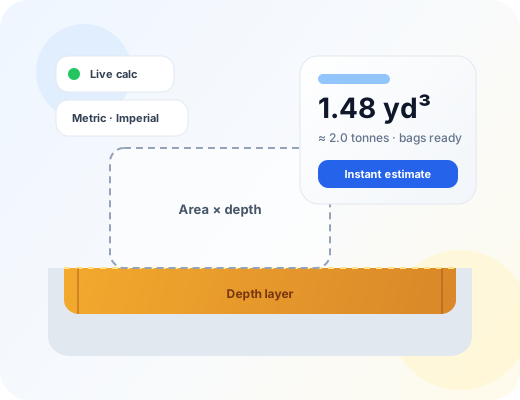
A sand calculator is a coverage estimator for loose granular fill used under pavers, in sandboxes, along utility trenches, and in masonry work. You describe the geometry of the space, set depth, choose a sand type (or a custom density), and optionally add waste. The tool returns volume and weight. It does not replace joint-layout charts for complex polymeric patterns or structural fill specifications from an engineer.
Sand orders fail for boring reasons: a screed bed measured in centimetres entered as metres, play-pit depth guessed from a photo, or polymeric joint sand ordered as if it were a full bedding layer. This free sand calculator turns rectangles, circles, triangles, trenches, known areas, and known volumes into cubic yards and cubic metres, then estimates US tons, metric tonnes, and common bag sizes so you can phone a landscape yard or building centre with a number that matches the bed you are actually filling.
Workflow
How does it work?
Volume is area × depth for most modes. Rectangle and trench use length × width. Circles use πr² from diameter. Triangles use ½ × base × height. Known-area mode skips plan dimensions. Known-volume mode converts ft³, yd³, or m³ straight into weight. Waste multiplies volume by (1 + waste%/100). Weight multiplies final volume by the bulk density for the sand you selected. Bag counts divide weight by typical 20 kg, 25 kg, 40 lb, and 800 kg bulk packs.
Choose Imperial or Metric, then select a sand type — or enter a custom density from your supplier ticket.
Pick Rectangle/sandbox, Circle, Triangle, Trench, Known area, or Known volume.
Enter the dimensions that enclose the sand layer (and depth unless volume is already known).
Set waste — often 5–10% for bedding; more for soft ground or long wheelbarrow runs.
Optionally add a unit price for a materials-only cost estimate.
Read yards, metres, litres, tons, tonnes, and bag counts, then copy or share the result.
Math
Formula
Volume = Area × Depth × (1 + waste%)
Area depends on mode: length × width, πr², ½ × base × height, or a direct area entry. Depth is the thickness of the sand layer after screeding or placement. Waste covers spill and settlement. Weight = volume × bulk density. Preset densities are planning values for dry-to-moderately damp sand; wet sand is heavier. Polymeric products sold for joints may need manufacturer joint charts when paver spacers and patterns dominate the fill, not a full-depth bed.
Inputs
Step-by-step variables
L / W
Length and width
Plan dimensions of a rectangular bed, sandbox, or trench footprint.
Ø
Diameter
Across a circular pit or planter. Radius is diameter ÷ 2.
b / h
Triangle base and height
Base and perpendicular height of a triangular plan — not sand depth.
D
Depth
Thickness of the sand layer. Paver beds are often shallow; play fills are deeper.
ρ
Bulk density
Mass per cubic metre for the selected sand, or a custom kg/m³ from your yard.
Waste %
Waste allowance
Extra volume for spill, uneven subgrade, and settlement during placement.
Practice
Step-by-step examples
Paver bedding strip (imperial)
A 20 ft × 4 ft walkway needs 1.5 in of paver bedding sand with 8% waste.
Depth 1.5 in = 0.125 ft. Area = 80 ft². Raw volume ≈ 10 ft³ ≈ 0.37 yd³. With 8% waste ≈ 0.40 yd³ (about 0.31 m³). At ~1,600 kg/m³ that is roughly 0.5 tonnes — often a bulk bag or a mix of 25 kg bags.
On site
Real-life examples
Play sand pit in metres
A circular play area 3.0 m across needs 250 mm of play sand with 10% waste.
Radius 1.5 m → area ≈ 7.07 m². Volume raw ≈ 1.77 m³; with 10% waste ≈ 1.94 m³ (about 2.5 yd³). Weight near 3.1 tonnes at 1,600 kg/m³ — confirm playground depth rules for your municipality.
Where it helps
Use cases
- Paver and slab bedding layers before laying stone
- Play-sand pits and soft-fall fills
- Utility trench sand surrounds
- Masonry and building sand for mixes on smaller jobs
- Comparing yard quotes vs tonne quotes and bag packs
Avoid these
Common mistakes
- Entering screed depth in metres when the drawing shows millimetres
- Ordering polymeric joint sand as if it filled the full paver bed thickness
- Ignoring moisture — wet sand weighs more per cubic metre
- Skipping waste on long carries from the pile to the bed
- Mixing play-sand depths with paving bed depths on the same order sheet
- Assuming every 25 kg bag yields the same volume without checking the label
Buying & planning
Tips
- Screed paver sand to a consistent depth; high spots telegraph through the finished surface.
- For irregular yards, split the plan into rectangles and triangles, then add the volumes.
- Ask whether the yard quotes dry or damp density before you compare tonne prices.
- Keep both yd³ and tonnes on the order note when suppliers price differently.
- Play areas may have minimum depth rules — check local guidance before you cut depth to save money.
- Polymeric joint fills: start with the manufacturer’s coverage chart when paver joints dominate.
Need the bigger picture? Read our calculator disclaimer and accuracy policy.