
Overview
What is the Gravel Calculator?
A gravel calculator is a coverage estimator for loose or crushed stone. You describe the footprint of the driveway, path, patio base, or planting bed, set how deep the stone will sit, and (optionally) add a waste percentage for compaction and spill. The tool returns volume and an approximate weight. It does not design drainage, geotextile layouts, or structural road bases — those still need site judgment and, on larger jobs, professional specs.
Gravel orders go wrong in quiet ways: depth typed as feet instead of inches, square footage guessed from a phone photo, or a driveway priced by the scoop instead of by measured coverage. This free gravel calculator turns length, width, and depth — or a known area in square feet or square metres — into cubic yards and cubic metres, then estimates US tons and metric tonnes so you can call a landscape yard or aggregate supplier with a number that matches the bed you actually built.

Workflow
How does it work?
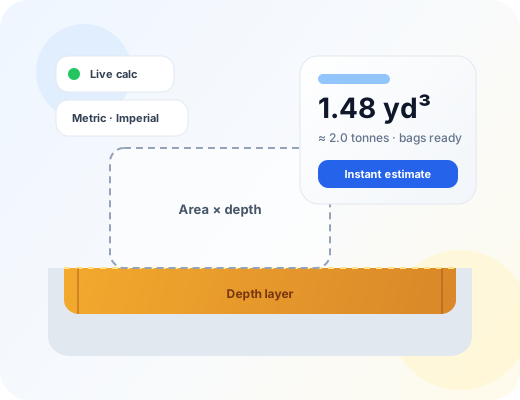
Coverage is area × depth. In dimensions mode, area is length × width. In area mode, you enter square feet or square metres directly. Every length converts to metres before multiplying so mixed units stay honest. Waste multiplies the raw volume by (1 + waste%/100). Weight multiplies the final volume by a typical bulk density for the material you pick — crushed stone, pea gravel, or a denser compacted base — then reports kilograms, pounds, US short tons, and metric tonnes.
Choose Imperial or Metric, then select a material — or enter a custom density from your supplier.
Pick Rectangle, Circle, Known area, or Known volume depending on what you measured.
Enter dimensions (and depth unless you already know cubic yards or cubic metres).
Set a waste allowance — often 5–10% for driveways and paths on prepared ground.
Optionally add a unit price to see a materials-only cost estimate.
Read cubic yards, cubic metres, tons, tonnes, bag counts, then copy or share the result.

Math
Formula
Volume = Area × Depth × (1 + waste%)
Area comes from length × width, from a circle (πr²), or from a direct area entry. Known-volume mode skips geometry and converts ft³/yd³/m³ straight to weight. Waste scales volume for compaction and spill. Weight = volume × bulk density. Default densities are planning values; custom density lets you match a quarry ticket. Bag counts assume typical 20 kg poly bags and 800 kg bulk bags — confirm pack sizes with your yard.
Inputs
Step-by-step variables
L
Length
Long run of the driveway, walkway, or bed — measured along the main direction of travel or edge.
W
Width
Cross dimension of the coverage area. For tapered drives, split into rectangles or use average width carefully.
D
Depth
Thickness of the gravel layer. Product bags and landscape guides often list inches or millimetres — do not enter those values as feet or metres.
Ø
Diameter
Across a circular bed or planter. The calculator uses radius = diameter ÷ 2 for area.
A
Area
Optional direct entry in square feet, square yards, or square metres when the footprint is already known.
V
Known volume
When a drawing already states cubic feet, yards, or metres — convert straight to weight without re-measuring the bed.
Waste %
Waste allowance
Extra volume for compaction, irregular edges, and site loss. Higher on soft or uneven ground.
ρ
Bulk density
Mass per cubic metre for the selected material, or a custom kg/m³ from your supplier. Used for weight and bag estimates.
Practice
Step-by-step examples
Worked example — rectangular driveway strip
40 ft long × 12 ft wide × 4 in deep crushed gravel with 10% waste. Convert depth to feet (4 ÷ 12 ≈ 0.333), area = 480 ft², raw volume ≈ 160 ft³ ≈ 5.93 yd³, then apply 10% waste.
Order roughly 6.5 cubic yards of crushed gravel (about 5.0 m³). Weight at ~1,600 kg/m³ is on the order of 8 tonnes — confirm density with your yard.
On site
Real-life examples
Real-world — pea gravel garden path in Ontario
A homeowner knows the path covers 28 m² and wants 50 mm of pea gravel with about 8% waste for edge spill.
Raw volume = 28 × 0.050 = 1.40 m³; with 8% waste ≈ 1.51 m³ (roughly 2.0 yd³). Weight near 2.3 tonnes at pea-gravel density — ask whether delivery is sold by the tonne or the yard.

Where it helps
Use cases
- Driveway gravel top-ups and new residential lanes
- Walkway and patio base layers before pavers
- French-drain stone beds sized from trench area × depth
- Play areas and decorative pea-gravel zones
- Comparing yard-based vs tonne-based supplier quotes
Avoid these
Common mistakes
- Entering 4 as feet when the bag or guide means 4 inches of depth
- Forgetting waste on soft soil where gravel sinks into the subgrade
- Ordering by weight without checking whether the yard uses US tons or metric tonnes
- Using decorative pea-gravel density for a dense compacted road base
- Measuring only the visible surface and ignoring flared entrances or turnouts
- Skipping geotextile or drainage details that the calculator does not design
Buying & planning
Tips
- Measure length and width on the ground with a tape — photos distort square footage.
- If your plan is in millimetres, keep depth in mm and length in metres rather than converting twice by hand.
- Ask whether the delivered load is loose or pre-compacted; compaction changes how deep the finished surface sits.
- Split odd shapes into rectangles and add the volumes rather than guessing one average.
- Keep a note of both yd³ and tonnes when comparing two suppliers who quote differently.
- For structural bases under vehicles, follow local driveway or municipal guidance — coverage math alone is not a road design.
Need the bigger picture? Read our calculator disclaimer and accuracy policy.