
Overview
What is the Fill Dirt Calculator?
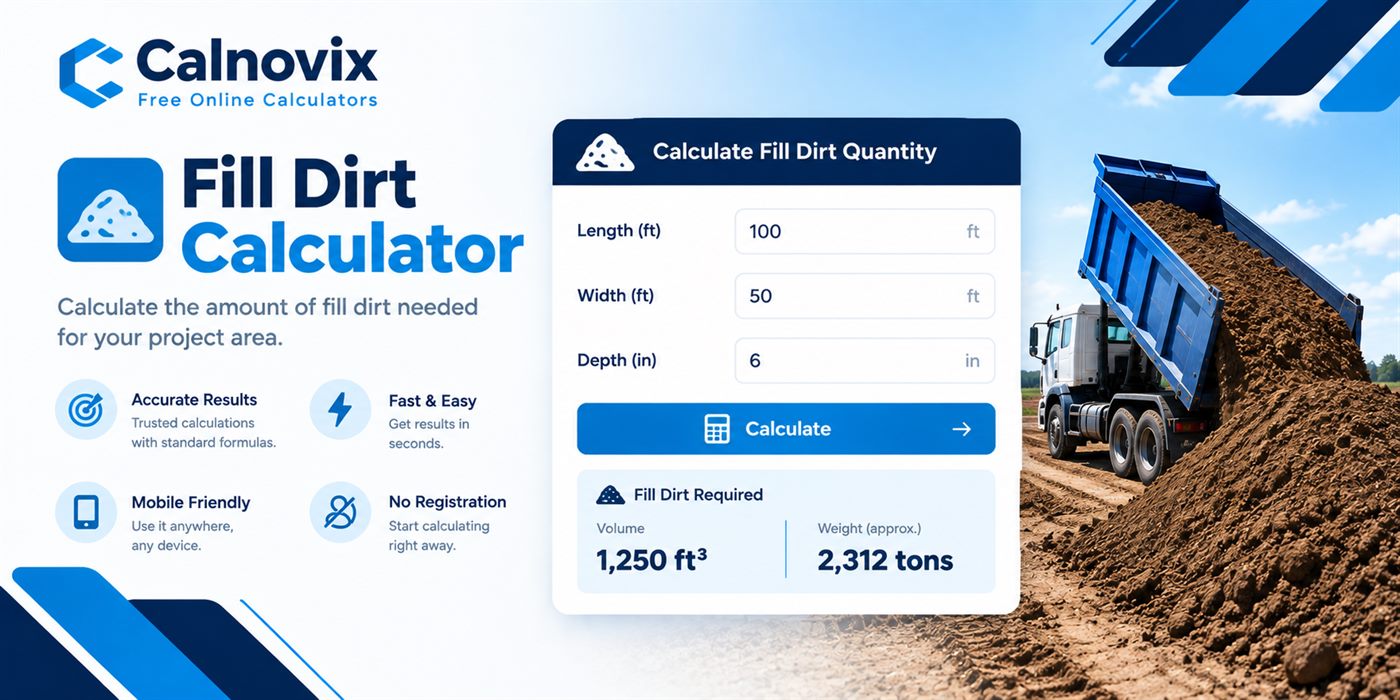
A fill dirt calculator is a volume, weight, and cost estimator for common, screened, clay, sandy, mixed, compacted, and loose fill used to raise grade, backfill excavations, and level low spots before landscaping or paving. You describe the area or trench being filled, set a depth, choose a fill type — or a custom density — and optionally add waste and a settlement allowance. The tool returns volume, weight, dump-truck load counts, and an optional cost estimate. It does not replace a geotechnical assessment or engineered compaction testing for structural fills such as foundations or retaining walls.
Fill dirt orders usually go wrong for one of three reasons: the depth needed to bring a low spot up to grade is guessed instead of measured, a bulk cubic-yard quote gets compared against a per-tonne price with no common unit in between, or nobody accounts for how many truckloads a job actually needs before a hauler shows up. This free fill dirt calculator turns rectangles, circles, triangles, trenches, known areas, and known volumes into cubic yards and cubic metres, adds waste and a settlement allowance for compaction after dumping, and converts the result into weight, dump-truck loads, and a landed cost that includes delivery and tax.
Workflow
How does it work?
Volume is area × depth for most modes. Rectangle and trench use length × width. Circles use πr² from diameter. Triangles use ½ × base × height. Known-area mode skips plan dimensions. Known-volume mode converts ft³, yd³, m³, litres, or US gallons straight into weight. The raw volume is multiplied by (1 + waste%/100) for spill and handling loss, then by (1 + settlement%/100) so the finished, compacted grade still matches your target after the fill settles under its own weight and equipment traffic. Weight multiplies the final volume by the bulk density for the fill type selected — loose fill is lighter, compacted fill is heavier per cubic yard. Truck loads divide cubic yards by typical dump-truck capacities of 10, 12, and 14 yd³. When you enter a unit price, the calculator adds delivery cost and tax on top of material cost for a full landed-cost estimate.
Choose Imperial or Metric, then select a fill dirt type — common, screened, clay, sandy, mixed, compacted, loose, or a custom density from your supplier ticket.
Pick Rectangle/graded pad, Circle, Triangle, Trench, Known area, or Known volume.
Enter the dimensions that enclose the fill layer, then set depth using the presets (levelling, grade raise, deep fill) or a numeric depth chip.
Set waste for spill and uneven subgrade, and a settlement allowance for compaction after dumping and grading.
Optionally add a unit price per yard, metre, US ton, or tonne, plus a flat delivery cost and a tax percentage for a full landed-cost estimate.
Read yards, metres, tons, tonnes, dump-truck load counts at three common truck sizes, and total cost, then copy or share the result.
Math
Formula
Volume = Area × Depth × (1 + waste%) × (1 + settlement%); Total cost = Material + Delivery + Tax
Area depends on mode: length × width, πr², ½ × base × height, or a direct area entry. Depth is the thickness of the fill layer needed to reach target grade. Waste covers spill and subgrade unevenness. Settlement adds extra volume up front so the finished, compacted grade still matches your target once the fill is walked on, driven over, or naturally consolidates. Weight = final volume × bulk density. Preset densities are planning values for loose-to-moist fill; compacted fill is disclosed separately at a higher density. Total landed cost adds a flat delivery fee and tax, calculated on material plus delivery, on top of the material cost from your entered unit price.
Inputs
Step-by-step variables
L / W
Length and width
Plan dimensions of a rectangular pad, graded area, or trench footprint.
Ø
Diameter
Across a circular fill area. Radius is diameter ÷ 2.
b / h
Triangle base and height
Base and perpendicular height of a triangular plan — not fill depth.
D
Depth
Thickness of the fill layer needed to bring the area up to target grade.
ρ
Bulk density
Mass per cubic metre for the selected fill type, or a custom kg/m³ from your yard.
Waste %
Waste allowance
Extra volume for spill, uneven subgrade, and material lost during placement.
Settlement %
Settlement / compaction allowance
Extra volume placed up front so the finished grade still meets your target after the fill settles or is compacted.
Tax %
Sales tax
Applied to material cost plus delivery for a full landed-cost estimate.
Practice
Step-by-step examples
Backyard low-spot fill (imperial)
A 20 ft × 12 ft low spot needs 6 in of common fill dirt to reach grade, with 10% waste and 10% settlement.
Depth 6 in = 0.5 ft. Area = 240 ft². Raw volume = 120 ft³ ≈ 4.44 yd³. With 10% waste and 10% settlement (×1.21) ≈ 5.38 yd³ (about 4.11 m³). At 1,500 kg/m³ (common fill) that is roughly 6.8 tonnes, or one load on a typical 10 yd³ dump truck.
On site
Real-life examples
Driveway grade raise with delivery and tax
A contractor needs 3.6 m × 6 m raised 150 mm with compacted fill, 8% waste, 15% settlement, at $28 per m³ plus a $120 flat delivery fee and 13% tax.
Area = 21.6 m². Raw volume ≈ 3.24 m³; with 8% waste and 15% settlement (×1.242) ≈ 4.02 m³. Weight ≈ 7.04 tonnes at 1,750 kg/m³ (compacted). Material cost ≈ $113 at $28/m³; plus $120 delivery = $233; 13% tax on that subtotal ≈ $30; total landed cost ≈ $263. About one load on a 10 yd³ or 12 yd³ truck once converted to yards.
Where it helps
Use cases
- Raising grade in a backyard low spot before sod or landscaping
- Backfilling around a new foundation or retaining wall base
- Levelling a building pad or shed base before construction
- Filling in a removed pool, pond, or septic excavation
- Estimating dump-truck loads and landed cost for a grading contractor's quote
Avoid these
Common mistakes
- Measuring depth to the current grade instead of the depth actually needed to reach target grade
- Ordering loose-fill volume when the supplier or spec calls for compacted volume, which is denser and cheaper per finished cubic yard
- Skipping a settlement allowance, then finding the graded area dips after the first heavy rain or equipment pass
- Comparing a per-tonne quote against a per-yard quote without converting through a disclosed density first
- Forgetting to add delivery and tax when comparing two suppliers' unit prices
- Assuming every truckload is the same size — 10, 12, and 14 yd³ dump trucks are all common
Buying & planning
Tips
- Use the levelling, grade raise, and deep fill depth presets as a starting point, then confirm against your grading plan or contractor's spec.
- For irregular lots, split the area into rectangles and triangles, then add the areas before entering a known area.
- Ask whether your supplier's price is for loose or compacted fill — the difference changes both weight and finished depth.
- Keep both cubic yards and cubic metres on your order note when comparing a local supplier's bulk price against a metric spec sheet.
- Add a higher settlement allowance for loose or sandy fill, which compacts more than clay or compacted fill after grading.
- Confirm your hauler's actual truck box size before relying on the 10, 12, or 14 yd³ load estimates — capacities vary by region and equipment.
Need the bigger picture? Read our calculator disclaimer and accuracy policy.